

Google Play, also known as the Google Play Store and formerly Android Market, is the central hub for apps, games, and updates on Android and ChromeOS devices.
Beyond simply hosting downloads, Google Play handles app updates, security checks, and compatibility behind the scenes, making sure software installs smoothly and stays up to date.
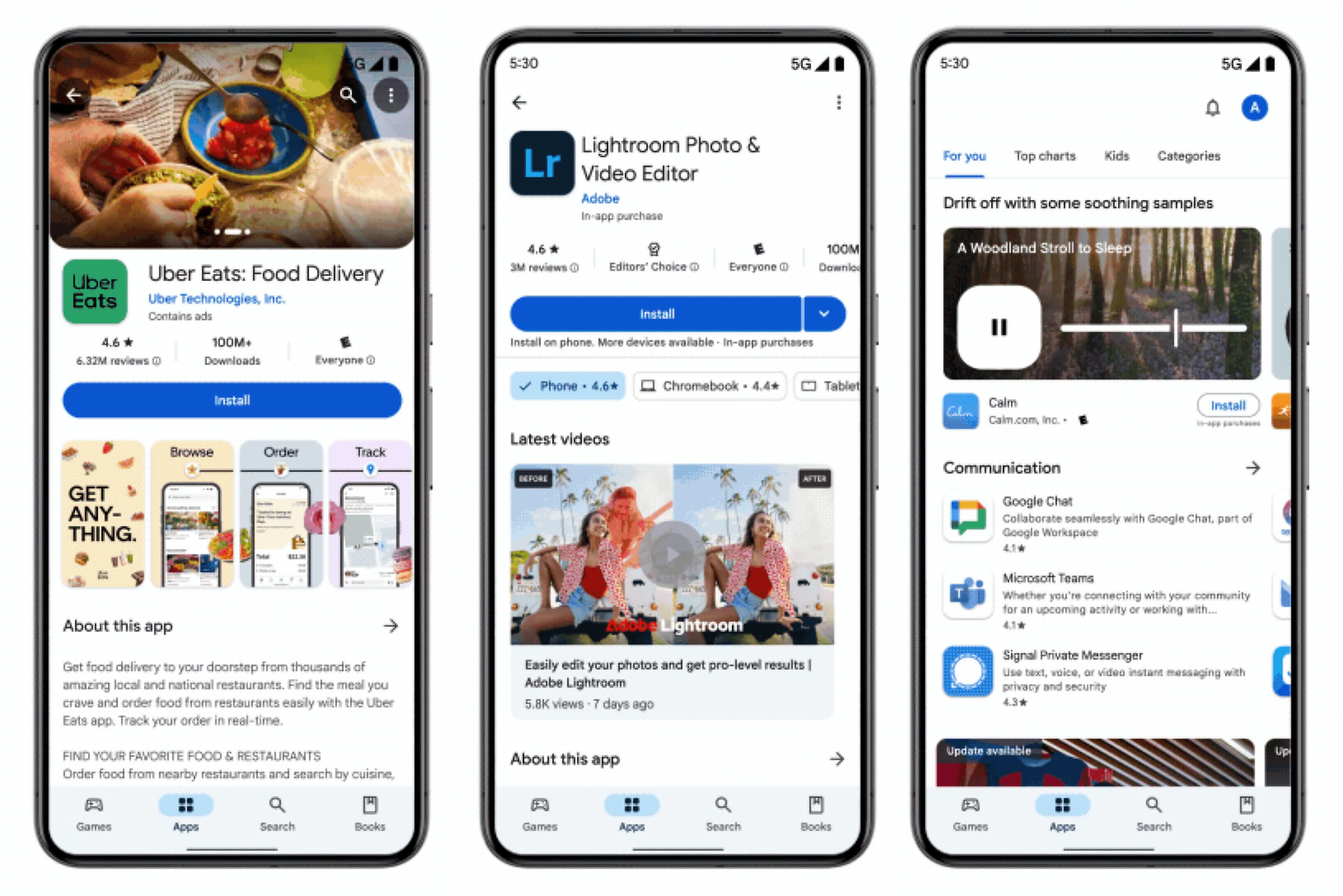
Operated and developed by Google, the Play Store is an essential system component rather than just a storefront – one that most users rely on daily without ever having to think about it.
How do I install the Google Play Store APK on my Android device?
To install the APK, users need to enable "Install from unknown sources" or use the phone's file manager or browser to initiate installation after downloading. On newer Android versions, permissions may need to be granted per app (like Chrome or Files). It's also important to install the correct version based on your Android version and CPU architecture.
What is a Google Play Store APK and why would someone want to install it manually?
A Google Play Store APK is the installation file for the Play Store app on Android devices. Users often install it manually when the Play Store is missing, outdated, or malfunctioning. This is especially common on devices that come without Google services, such as some tablets or phones from China, or after a custom ROM installation.
Why doesn't the Google Play Store work even after installing the APK?
Just installing the Play Store APK isn't always enough. The app relies on other Google services like Google Play Services and Google Services Framework. If these components are missing or mismatched, the Play Store may crash or fail to open. Users often need to install a compatible bundle of Google apps, known as a GApps package, to get full functionality.
Can I downgrade the Google Play Store by installing an older APK?
Yes, many users do this to avoid bugs introduced in newer versions. However, the Play Store will usually auto-update to the latest version unless updates are disabled. Downgrading may require uninstalling updates via system settings first, and success may vary based on Android version and device restrictions.
Features
Anytime, Anywhere
Acces your content wherever you are from your Android device or on the web.
Pure Entertainment
Enjoy your favorite movies, music, books, apps and more.
No syncing, No wires
Foreget about cables, file transfers and hassles. Your content is always in sync across devices, automatically.
Unlock Your Music
Upload your music library for free and listen to your music anywhere, on any device.
Top Tablet Apps
Discover and choose from our hand-picked selection of apps & games for your Android tablet.
Google Play Gift Cards
Share the joy of millions of songs, books, movies, games, apps, and more.
What's New
- [Phone] This update collapses subtasks in Organized by AI section in search results.
- [Phone] Adds support for real-time updates of unlocked game achievements in the Play Store.
- [Phone] Allow users to select from multiple prizes instead of receiving a single one.
- [Phone] For users in the European Economic Area (EEA) and the UK, you can now find more information on app detail pages to help identify regulated medical device apps.
- Improvements to security and privacy and updates for bug fixes.
- New developer features for Google & 3rd party app developers to support functionality related to displaying web content in their apps.
- [Phone] With this update, you'll get improved notifications about your recent app installs that are ready to use.
- [Phone] UI improvements to help prevent disablement of protection due to exploitation.
- [PC, Phone] With this update, editorial pages on Play feature new formats that highlight apps and content more effectively.
- [Phone] With this new update, a new section in Comics Hub shows all the latest manga release in one place.
- [Phone] At the top of the Apps tab, we've added a new featured format.
- [Phone] Users in South Korea will now find a dedicated entertainment section under Apps.
- [Phone] You can now restore your favorite apps faster on your new Android phone.
- [Phone] With the new task-based search feature, you can find apps that can help you finish your tasks.
- [Phone] Snippets now show more relevant results.
Important: Some features may be experimental and available to certain users
