Editor's take: Microsoft is doubling down on its plan to turn Windows 11 into an "agentic AI" platform, and in the process seems determined to strip away the last bits of user agency left in the OS. The backlash is something to behold, with increasingly throughout attempts to free Windows from any AI-related package, file, and Registry key. Or at least this developer is trying with an unsanctioned open source tool.
A developer who goes by "Zoicware" has joined that resistance. He recently updated his tool for ripping AI features out of Windows 11. Called RemoveWindowsAI, the open-source PowerShell script is built to scrub Microsoft's growing stack of AI components, and the dev claims it does a far deeper clean than competing tools.
The programmer launched the project in 2024, arguing that Windows 11 24H2 features like Copilot and Recall posed serious privacy and security risks. The latest release of the script shifts focus to Windows 11 25H2, a major update that layers on even more AI components throughout the system. Only if Microsoft would dedicate all those efforts to actual needed optimizations.
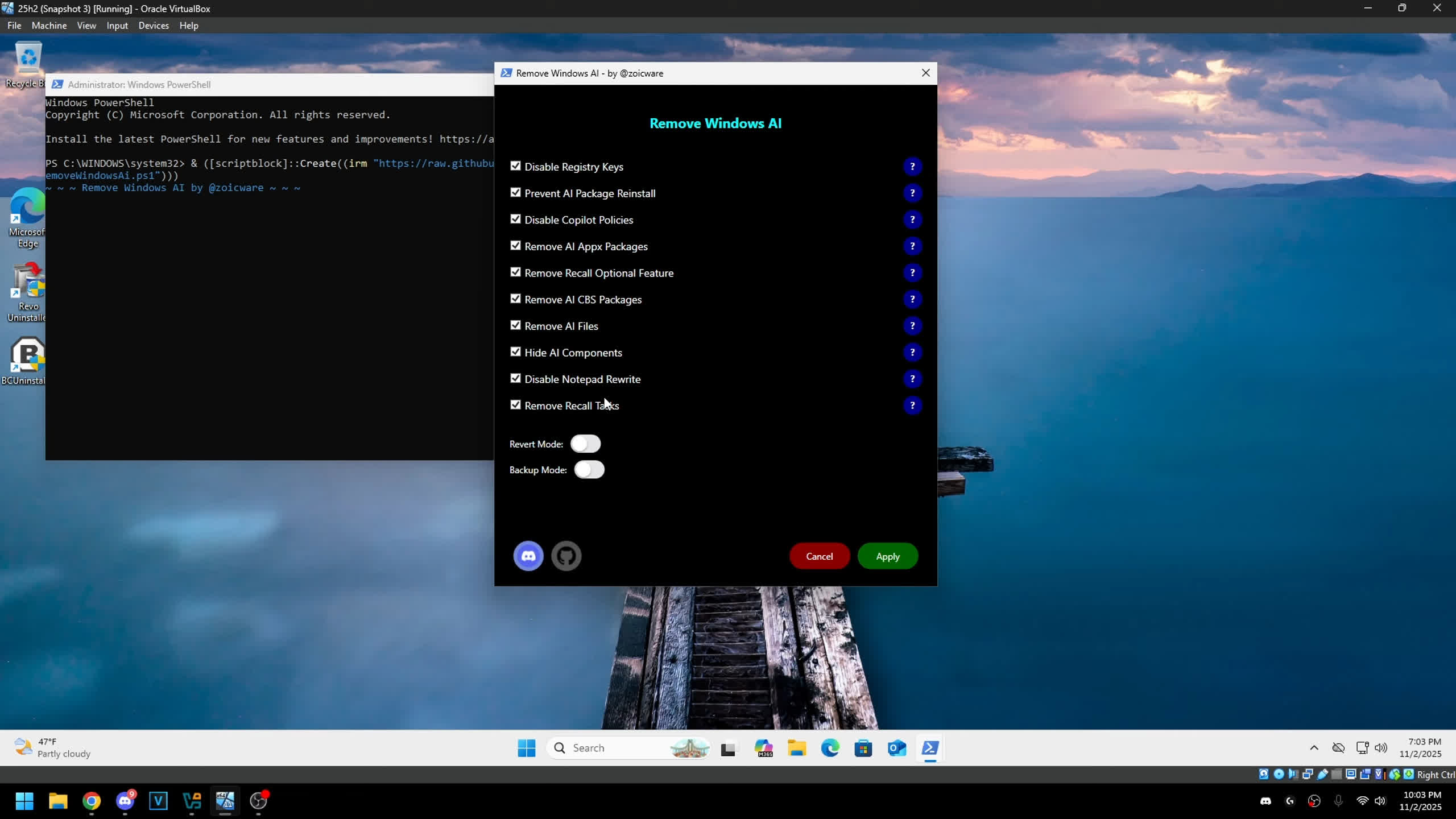
According to the developer, RemoveWindowsAI can boost user experience, privacy, and security on the newest versions of Windows 11. The script disables a long list of AI features like Copilot, Recall, Edge, Paint, AI Actions, and more – by directly erasing packages and files. It can even install custom Windows Update packages designed to keep those AI apps from reappearing in the future.
In a recent video, the tool's creator walked through its capabilities and compared it to other utilities aimed at clearing out Windows' growing AI clutter. He argues that while many of those tools simply uninstall a few unprotected apps that users could remove themselves, RemoveWindowsAI actually delivers on the promise of a full AI purge.
The script runs both as a PowerShell command-line tool and as a GUI app. It includes a "reverse mode" that can restore previously removed AI components, plus a backup option for safer experimentation.
A handful of features can't be removed automatically, though – users will need to disable those manually in the Windows Settings app, following the steps in this brief guide.
Before creating RemoveWindowsAI, the programmer built an eponymous PowerShell script for customizing Windows 10 and 11 installations, packed with tweaks aimed at boosting productivity and gaming performance. RemoveWindowsAI takes a similar approach but focuses solely on AI features, with more than 2,400 lines of code supporting the latest major Windows release.
The developer plans to keep expanding the script as Microsoft rolls out new AI integrations, though he says he'll only target major OS upgrades. He has no interest in chasing what he calls the "white rabbit" of Microsoft's ever-shifting Windows Insider experiments.